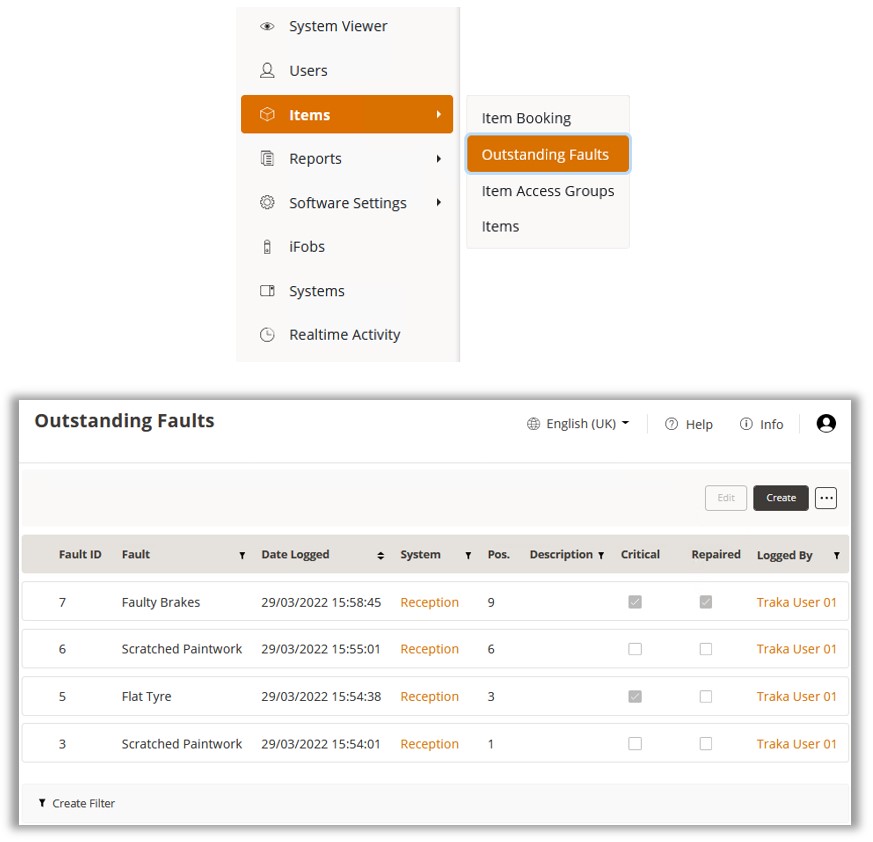
The Outstanding Faults List can be found by selecting ‘Items>Outstanding Faults’ from the Navigation Menu.
The example above shows the default columns that are presented in the Outstanding Faults List. These include details such as who logged the fault and when, the system and position number, the fault name and whether or not it is a critical fault, and if the fault has been repaired.
Optional columns can be added using the Show/Hide Grid Columns feature. These include:
Fault Definition Long Description
Item Detail 1-11
User Detail 1-11
Repaired By
Repaired Date
NOTE: There is no option to delete a fault. Faults will no longer show when they are cleared.